· One min read
Le Tuan Anh(AnhLe)

OTT

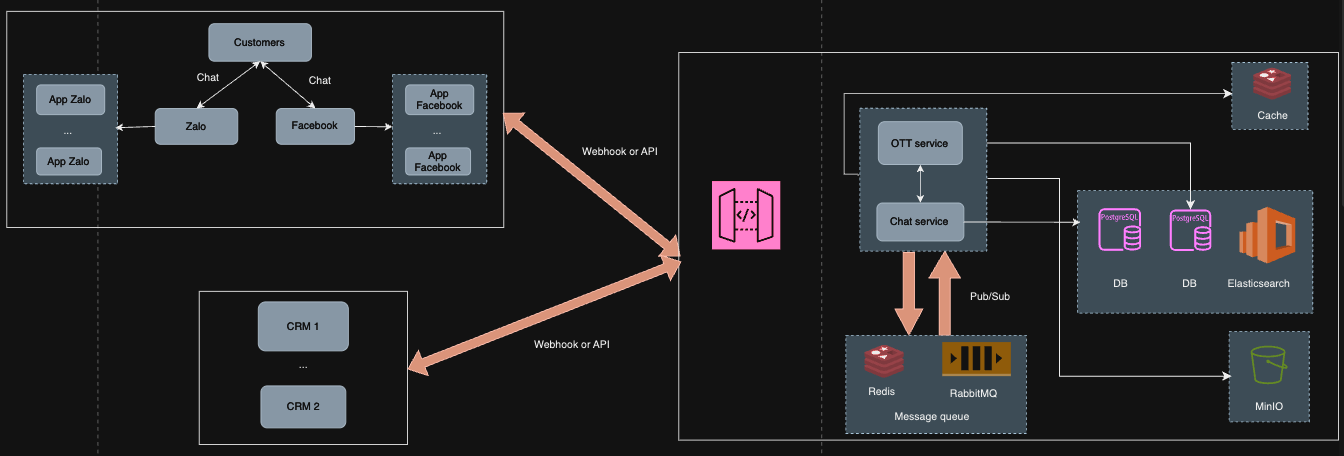
The main ott service includes 2 main services: ott service and chat service.

ott service handles requests sent from Facebook, Zalo and is also the final processing location for messages to reach Facebook, Zalo from CRM and CCP (Call Center Pro) systems.

Meanwhile, the chat service is where data is received and processed from the ott service, performing storage and pushing information to integrated systems (such as Crm), while also receiving information from integrated systems, then processing it before sending it to the ott service.

Below is the architecture of the main ott service.

Chat SA

Chat UI

· 2 min read

CRM

CRM is a customer support product. In addition to connecting call centers for call handling and multi-channel integration such as Chatchat facebook, zalo, SMS, ZNS and email, it also enables companies to reach, engage and serve customers in the best possible way.


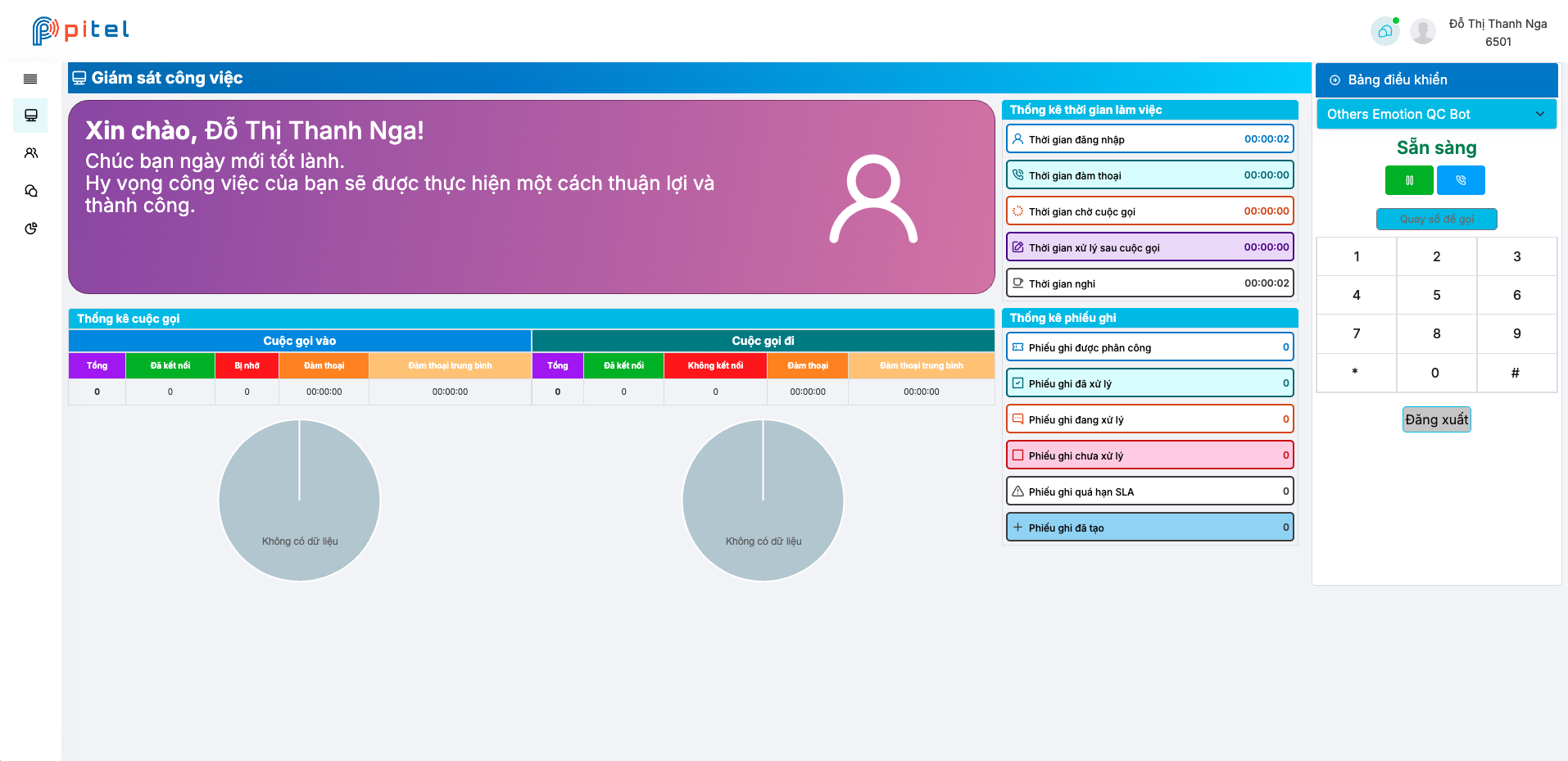
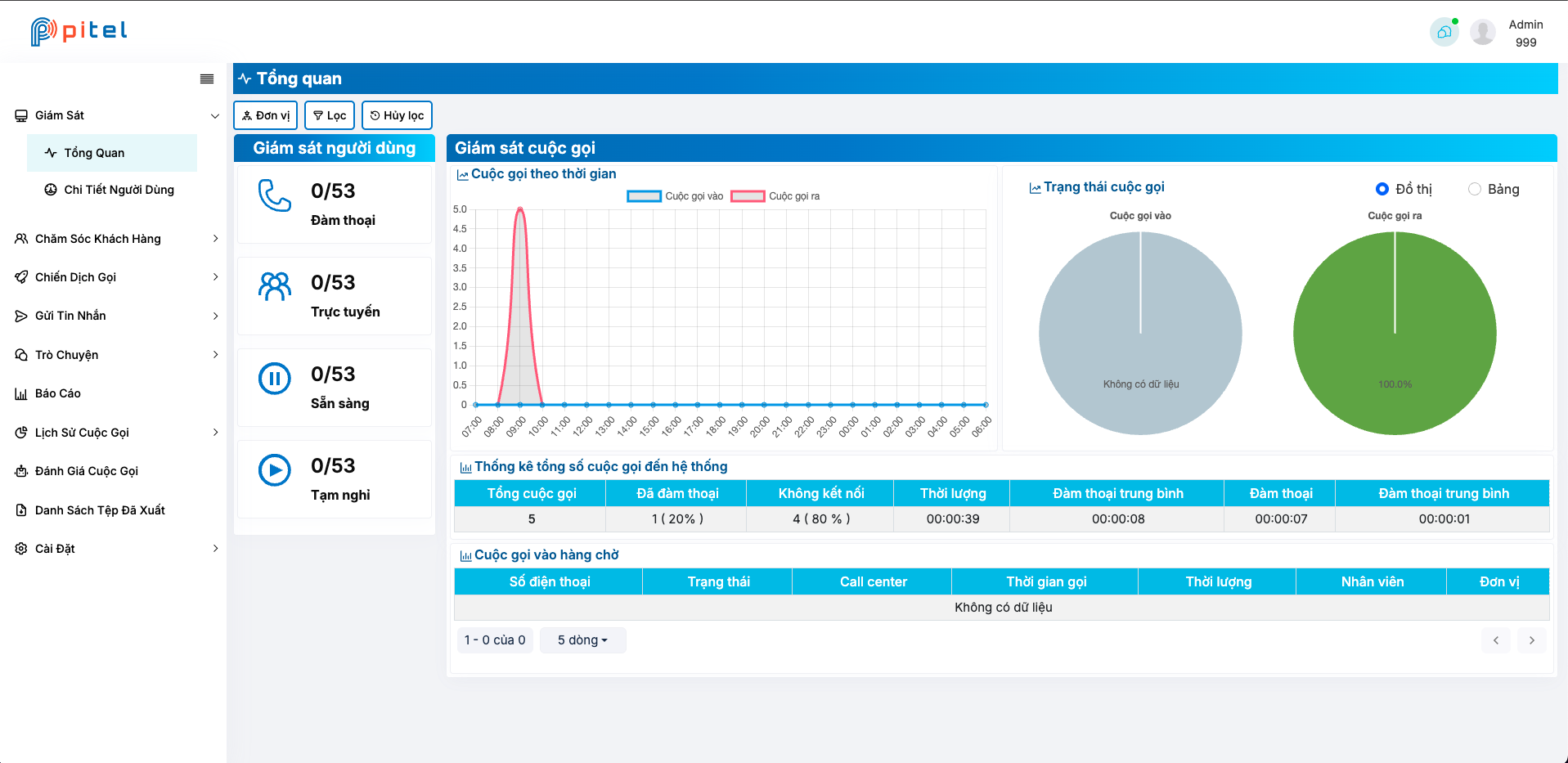
Admins can easily view and manage the status of users, tickets, contacts, and static calls through the dashboard Dashboard Admin Dashboard User
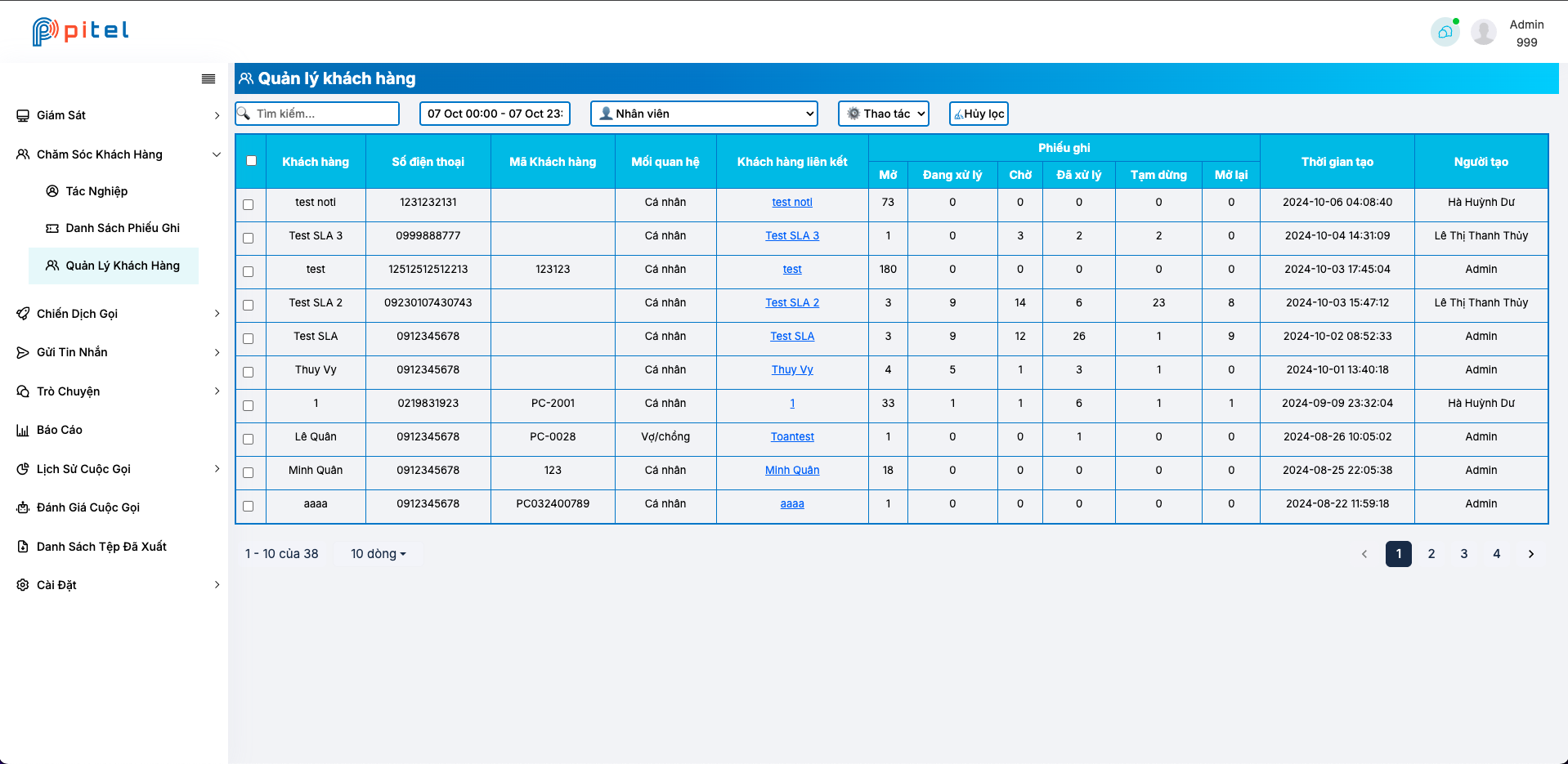
Contact

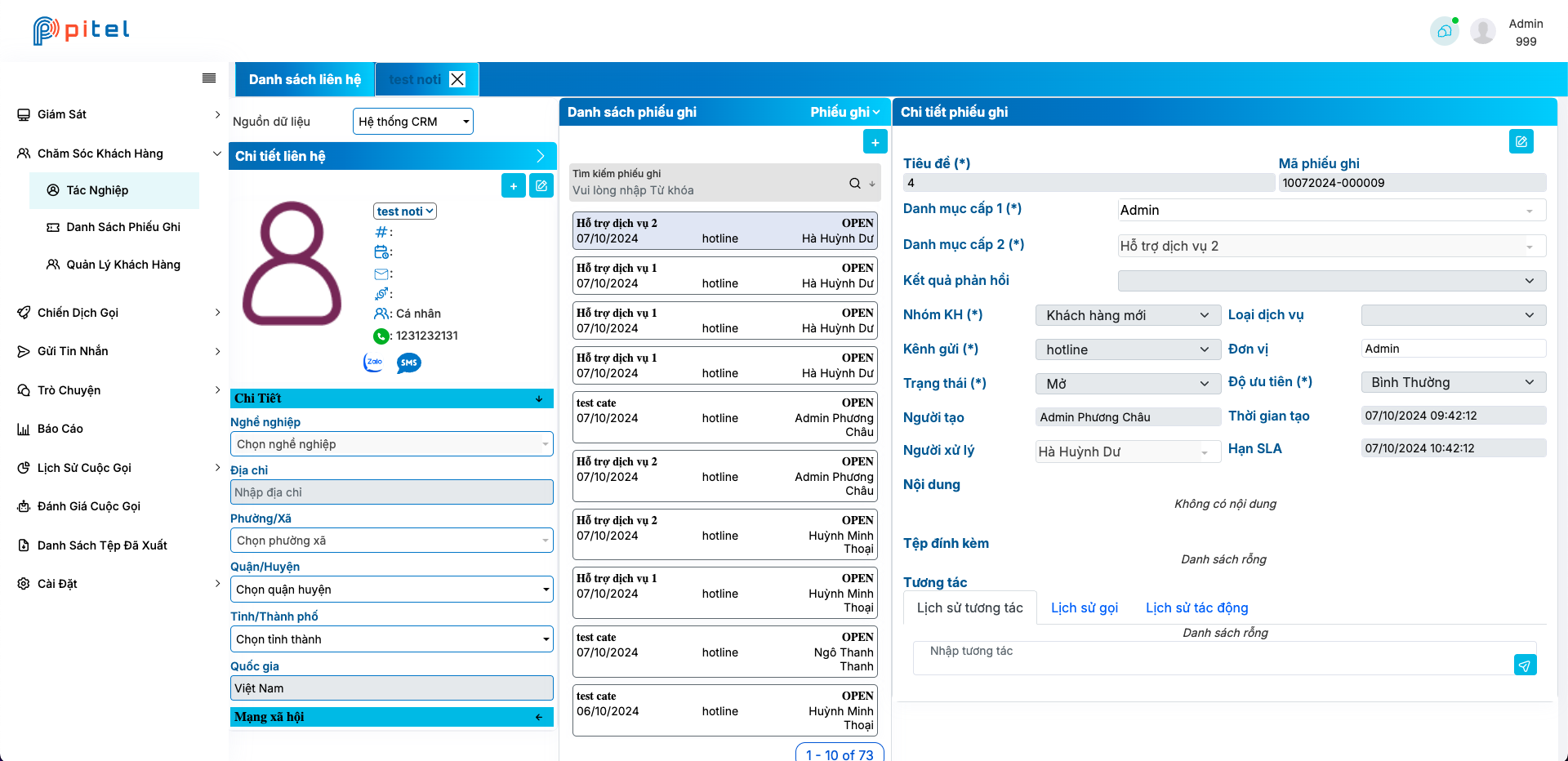
This screen allows users to manage contacts, tickets, and call detail records (CDRs). Users can easily view, search, create, and edit-all in one screen Contact Ticket
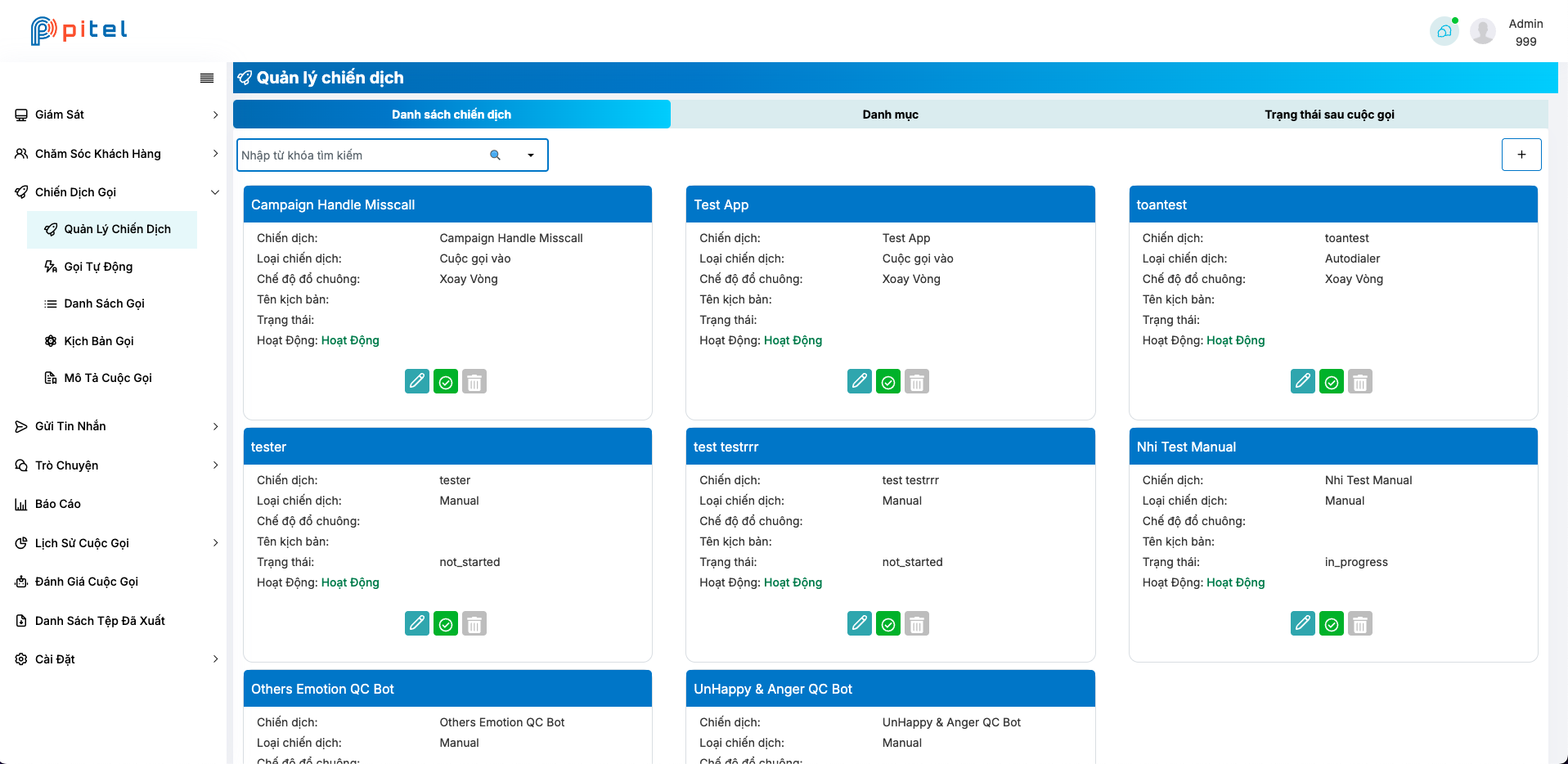
Campaign

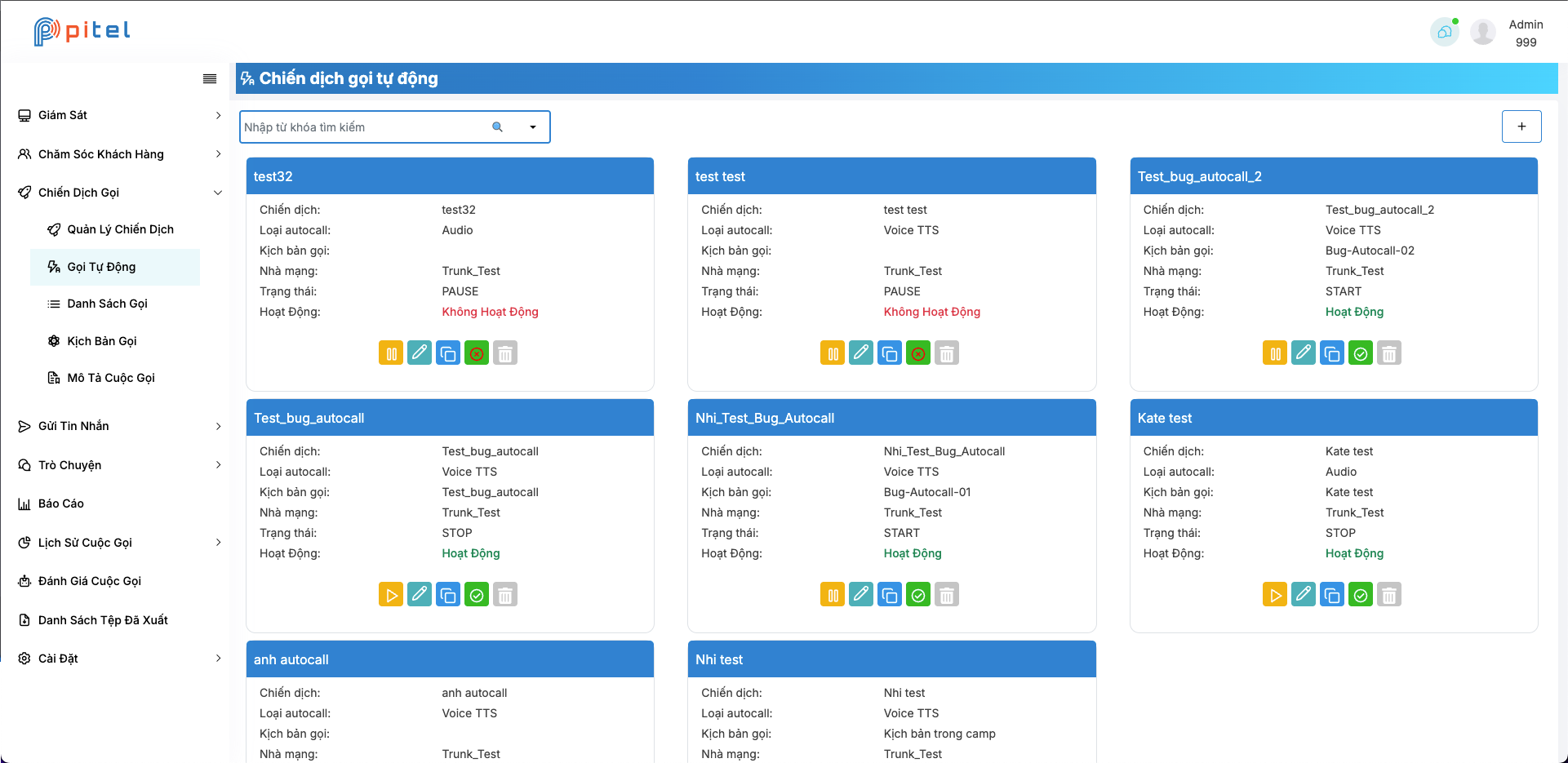
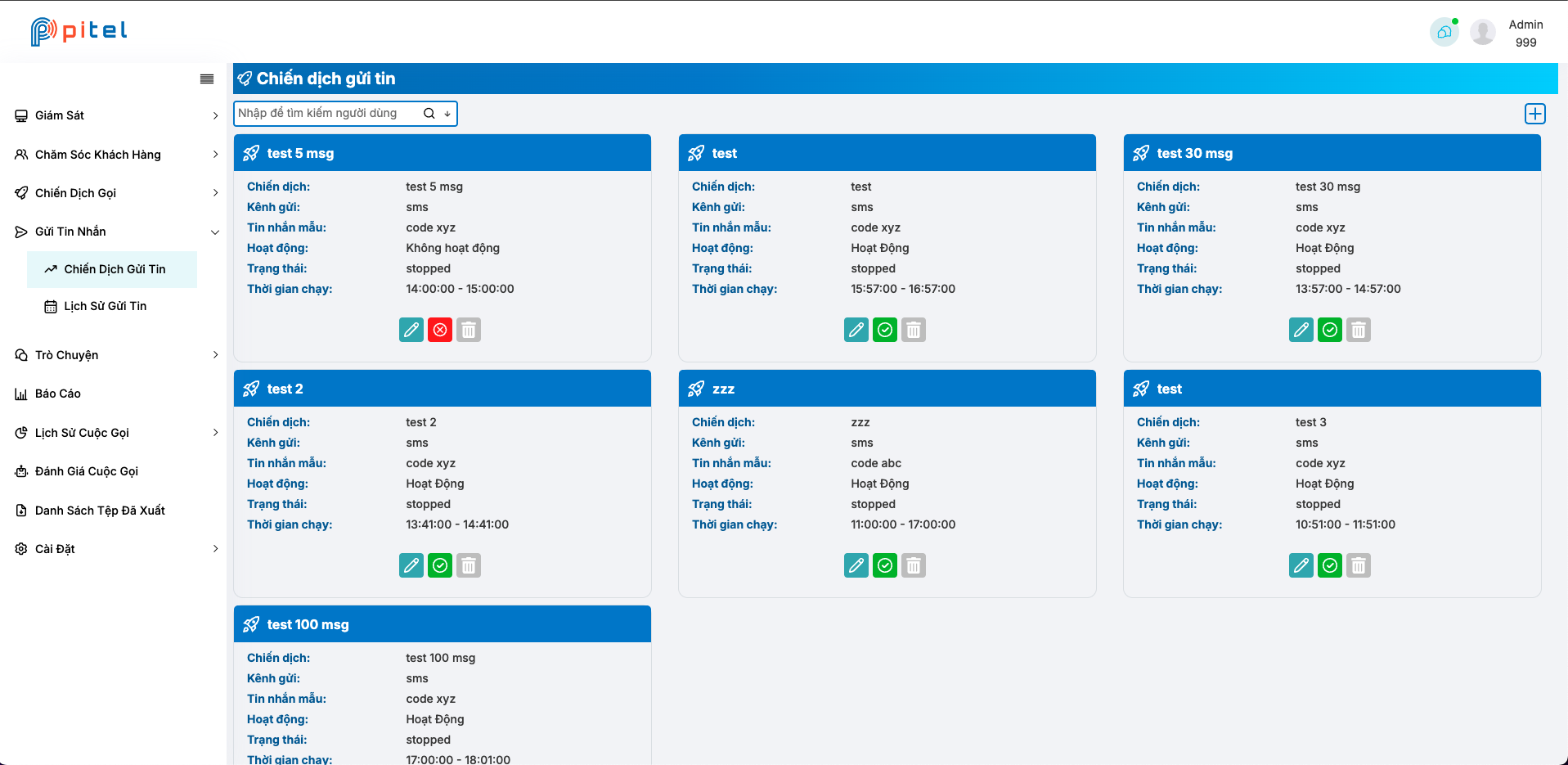
Here, users can manage call campaigns and inbox marketing. Each campaign serves a specific purpose, such as increasing engagement with customers via channels like calls, ZNS, SMS Campaign manual Campaign autocall Campaign inbox marketing
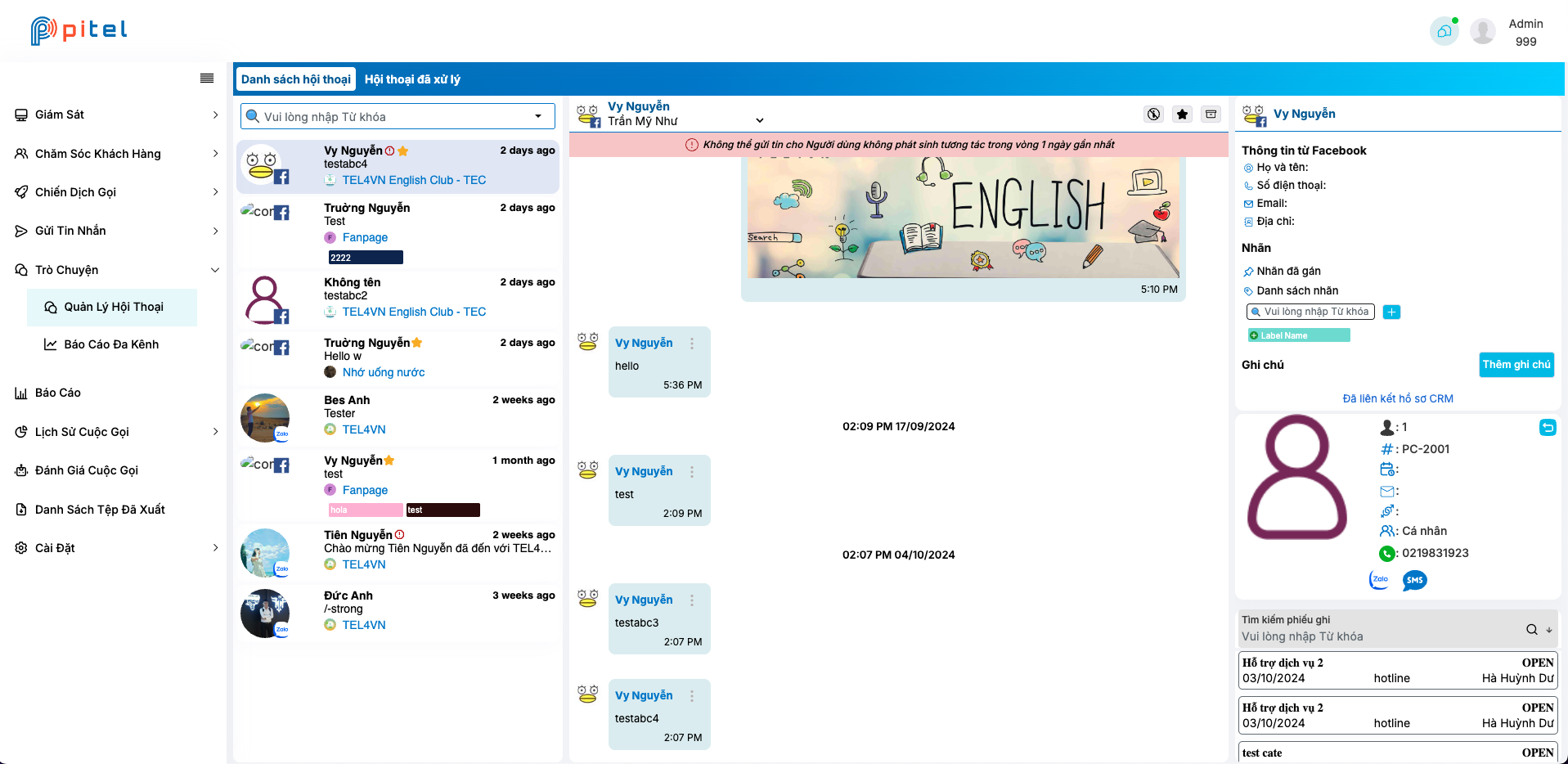
Chat

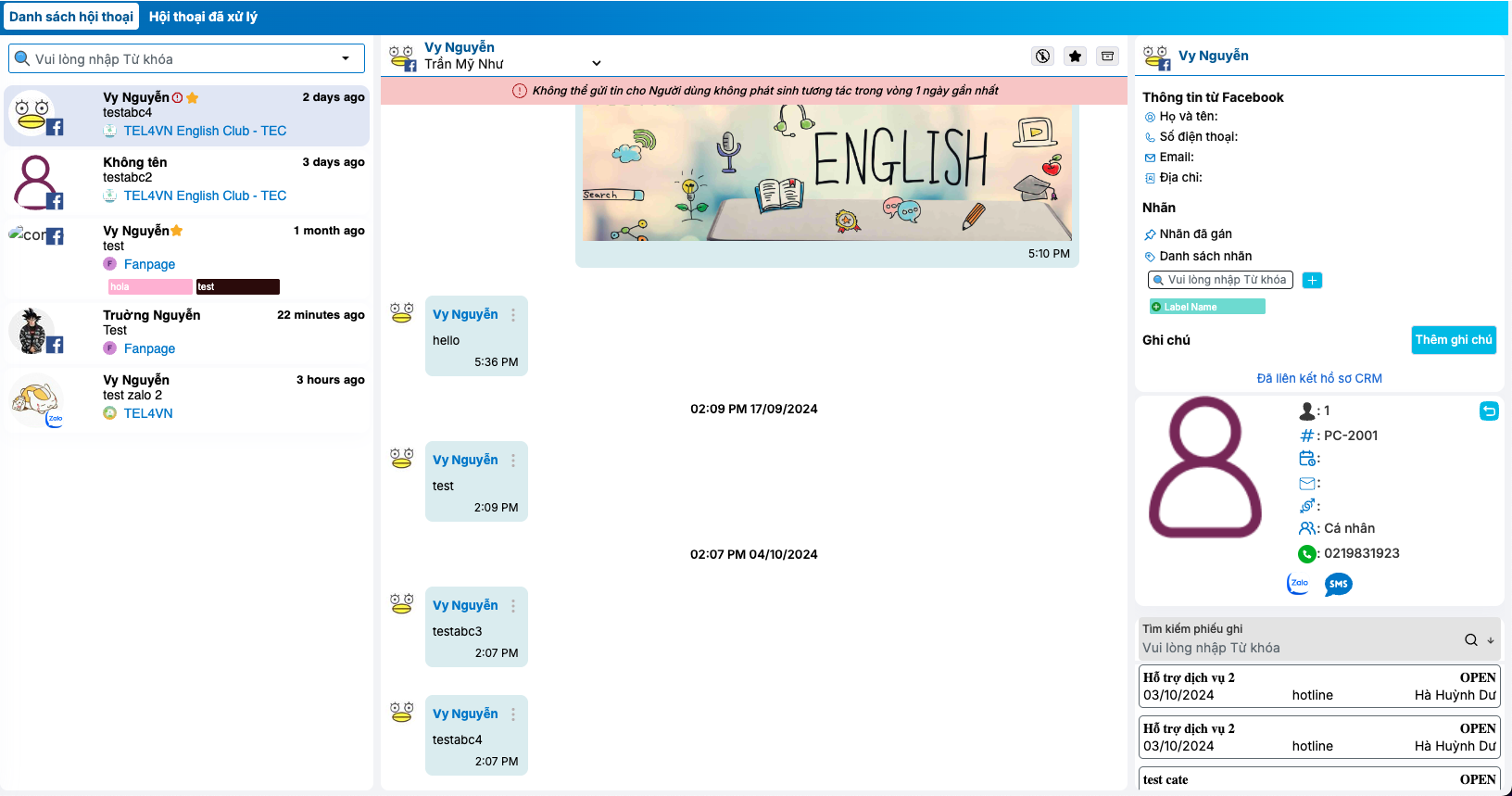
Users can interact with customers via channels like Facebook and Zalo, using features such as text chat, media attachments, assigning and reassigning conversations to other users, adding labels, requesting customer information, and searching conversations Chat
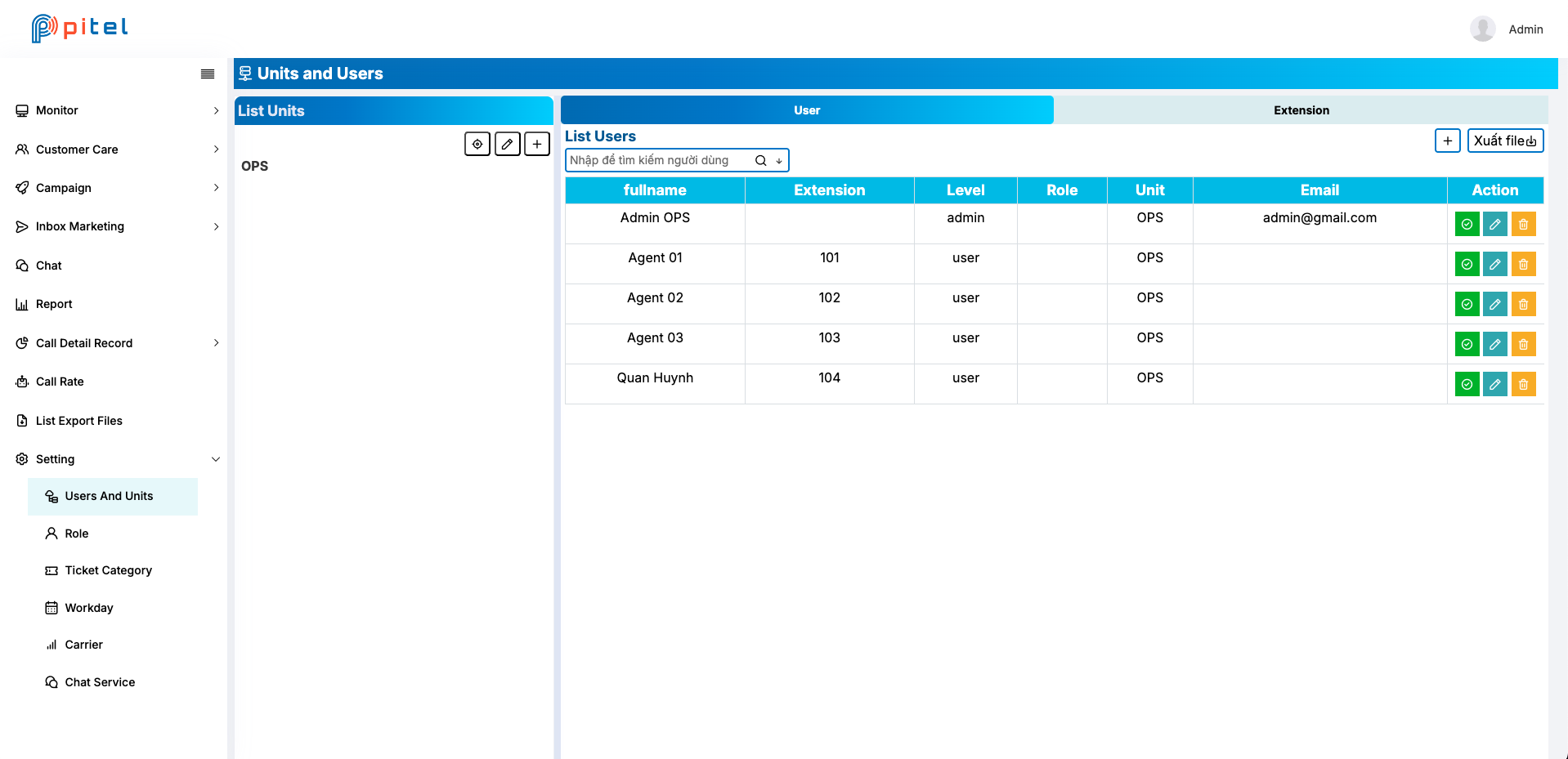
Manage user and unit

With settings for users, units, roles, ticket management, workdays, and chat configuration, users can easily manage all features and data Manage user and unit
In conclusion, these are some of the many features in CRM that I can share with you. CRM is still in version 1, with many features to be integrated. I hope to update it soon

· One min read

Docusaurus blogging features are powered by the blog plugin.

Simply add Markdown files (or folders) to the blog directory.

Regular blog authors can be added to authors.yml.

The blog post date can be extracted from filenames, such as:

  • 2019-05-30-welcome.md
  • 2019-05-30-welcome/index.md

A blog post folder can be convenient to co-locate blog post images:

Docusaurus Plushie

The blog supports tags as well!

And if you don't want a blog: just delete this directory, and use blog: false in your Docusaurus config.